Reflection – Week 2

Biggest Technical Insight I Got This Week
The biggest technical insight I gained this week is that Agentic AI is much more than an AI chatbot—it is a system that can follow a structured workflow to complete engineering tasks. Learning about the Agentic Loop (Gather → Act → Verify) helped me understand how Claude Code approaches problems. Instead of simply responding to prompts, it gathers the necessary information, performs the required actions using available tools, and verifies the results before completing a task. This completely changed my understanding of how AI can support real DevOps workflows.
Another important lesson was the role of CLAUDE.md. Initially, I questioned why a project needed a CLAUDE.md file when it already had a README.md. Through the assignments, I realised that while README.md is written primarily for human developers; CLAUDE.md provides persistent instructions that guide Claude Code's behaviour throughout a project. It helps the AI understand the project's architecture, conventions, commands, and safety requirements, allowing it to work more consistently.
I also learned how Skills transform long, repetitive prompts into reusable slash commands. Instead of rewriting detailed instructions every time, Skills package common workflows into commands that can be reused whenever needed, making development more efficient and consistent.
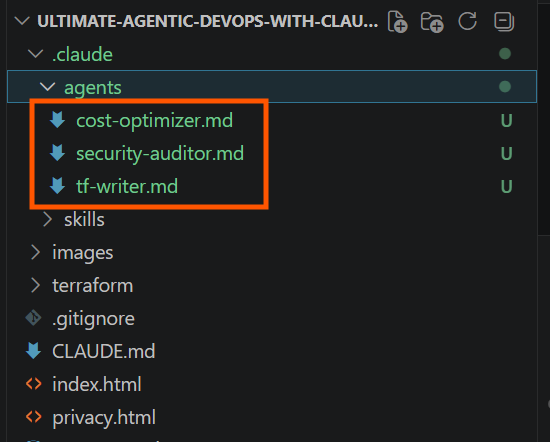
Figure 1: Claude Code Subagents for Specialized DevOps Tasks (cost-optimizer, security-auditor, and tf-writer)
Learning about subagents showed me how complex tasks can be divided among specialized AI agents. Rather than having one agent perform every task, different subagents focus on specific responsibilities, making the overall workflow more organized and manageable.
One topic that initially confused me was MCP (Model Context Protocol). Since I was already familiar with Git Bash, PowerShell, and the AWS CLI, I wondered why MCP servers were necessary. After completing the practical assignments, I understood that MCP is not simply another command-line tool. Instead, it enables Claude Code to securely connect with external services and tools through standardized interfaces, expanding what AI agents can do within a DevOps workflow.
Finally, learning about tool restrictions, hooks, permissions, and memory taught me that powerful automation must also be safe and consistent. Permissions and hooks prevent unintended actions, while memory enables Claude Code to retain useful project context across sessions, making future interactions more efficient.
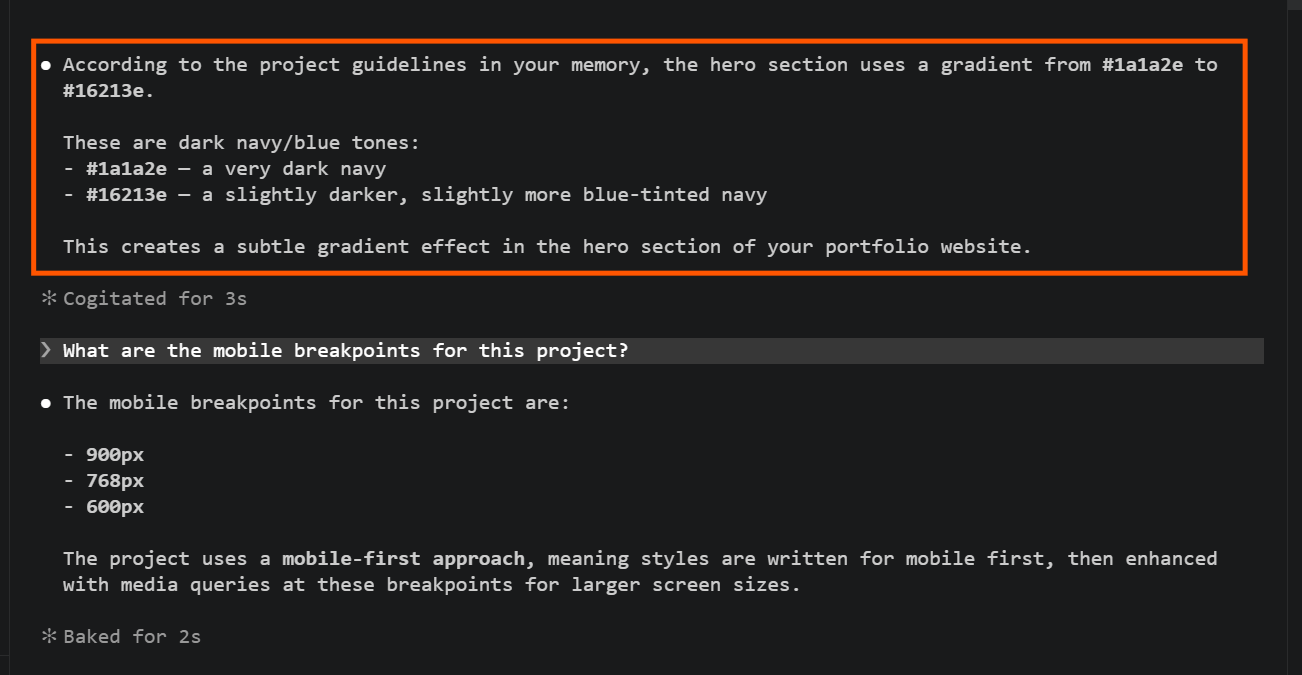
Figure 2: Claude Code Recalling Project Context Using Memory
Biggest Insight I Got About Myself This Week
One of the biggest discoveries I made about myself this week is that I learn best by asking "Why?" rather than simply memorizing commands or watching tutorial videos. Whenever I encounter a new concept, I naturally want to understand how it connects to the overall DevOps workflow before I feel confident using it. Once I understand the purpose behind a tool or process, it becomes much easier for me to apply it in practice.
As the week progressed, I also became more confident using terminal commands, especially while working with Claude Code. At the beginning, I was cautious about running commands because I was afraid of making mistakes. However, after completing the hands-on assignments, using the terminal became more natural, and my confidence grew significantly.
Another important realization was that documentation is not something you write after finishing a project—it is an essential part of engineering. Learning about CLAUDE.md helped me appreciate the importance of documenting project context, conventions, and workflows. As a result, I have started developing the habit of documenting what I learn and the decisions I make because good documentation benefits both human engineers and AI-assisted development.
My Biggest Weakness or Loop I Noticed
One repeated challenge I noticed this week is that I do not always verify my folder structure carefully before starting an assignment. I also sometimes get confused between working in a regular terminal, such as Git Bash or PowerShell, and working inside the Claude Code terminal. This has occasionally caused me to troubleshoot the wrong environment before identifying the actual problem.
Another weakness I discovered is that I tend to panic when commands fail. A good example was when I was configuring the GitHub MCP server. When Claude Code showed that the GitHub MCP server had failed to connect, I immediately became anxious and assumed something was seriously wrong. Instead of calmly checking each possible cause, I initially focused on the error itself.
Fortunately, by reviewing the setup step by step, verifying my environment, and carefully reading the command outputs, I was able to resolve the issue successfully. That experience taught me an important lesson: failed commands are part of engineering, not signs of failure. From now on, I want to approach errors more calmly, verify my environment and folder structure first, and use error messages as clues instead of reasons to panic.
One System I Will Implement From This Week
The system I will implement going forward focuses on understanding the DevOps workflow rather than memorizing commands.
Before starting every assignment, I will first read the entire instructions, identify the expected outcome, and understand where the task fits into the overall DevOps workflow. During the assignment, I will verify my folder structure and confirm that I am working in the correct terminal before running commands. After completing the task, I will spend a few minutes reviewing why each tool or feature was used instead of simply confirming that it worked.
I believe this habit will help me build deeper technical understanding, improve my troubleshooting skills, and make me more confident when working on real-world DevOps projects.
What I Learned About Agentic AI and DevOps
One of the biggest mindset shifts I experienced this week is realizing that AI is far more than a tool for answering questions or generating code. Through the DevOps Micro Internship, I learned that Agentic AI can follow structured workflows, use specialized tools, make decisions within defined boundaries, and verify its work before completing a task.
I also learned that automation alone is not enough. Permissions and tool restrictions are essential because they determine what an AI agent is allowed to do. Giving every agent unrestricted access would be risky, especially in production environments. By limiting access based on responsibility, engineers can ensure that AI performs only the tasks it is designed and authorized to handle, improving both security and reliability.
Another important lesson was the value of reusable Skills. Instead of repeatedly writing long prompts for common tasks, Skills package those instructions into reusable slash commands, reducing manual effort while improving consistency.
Perhaps the most important lesson is that Agentic AI does not replace DevOps engineers—it enhances their capabilities. DevOps engineers still need to understand the project's architecture, infrastructure, business requirements, and deployment strategy. While AI can automate repetitive and structured tasks, engineers remain responsible for planning, making critical decisions, reviewing outputs, and ensuring the final result meets the project's goals.
By the end of Week 2, I realised that successful DevOps is about balancing automation with control. Agentic AI can significantly improve productivity, but human oversight, careful review, and sound engineering judgment remain essential for building secure, reliable, and maintainable systems.
My Week 2 Highlight
My biggest highlight this week was seeing the concepts come to life through real project-based assignments. One memorable moment was successfully creating the .claude/skills/ folder structure and using /scaffold-terraform to automatically generate an entire Terraform project. Watching Claude Code create the infrastructure files without me manually writing each one showed me how Agentic AI can automate repetitive engineering tasks while still following a structured workflow.
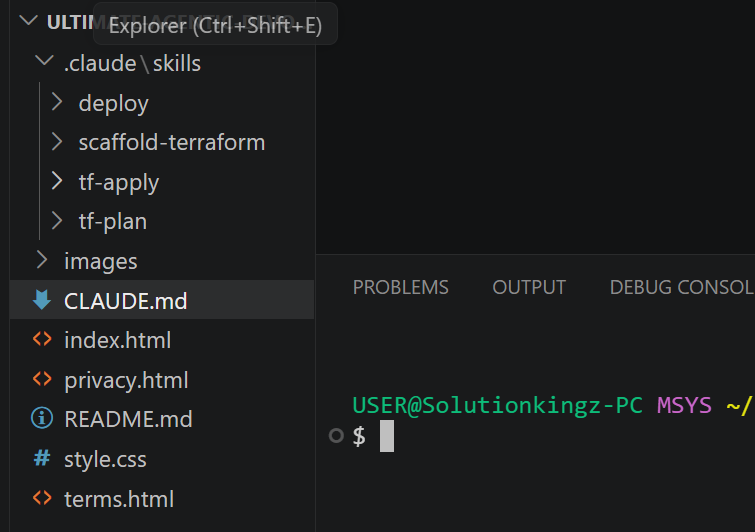
Figure 3: scaffold-terraform Skill for Automated Terraform Project Generation
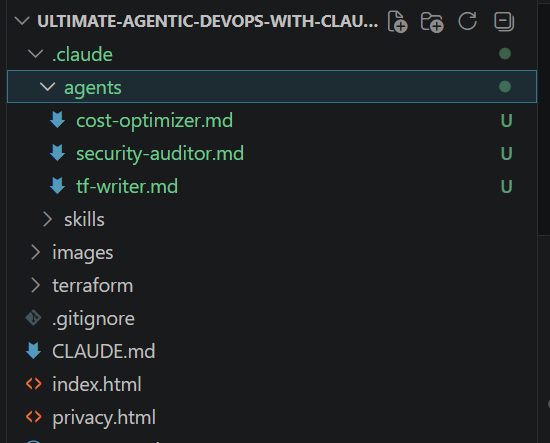
Figure 4: Claude Code Subagents for Specialized DevOps Tasks
Another highlight was understanding why the tf-plan subagent should not have Write permission. At first, I thought giving an AI agent more access would make it more powerful. However, I learned that restricting permissions is a deliberate design choice that improves security and prevents unintended changes.
I was also proud of successfully configuring memory and permissions and learning to troubleshoot problems by carefully reading command outputs instead of guessing. Resolving the GitHub MCP server connection issue taught me that patience, careful observation, and systematic troubleshooting are essential engineering skills.
Looking back, my biggest achievement was not simply completing the assignments—it was understanding how each activity connected to a real DevOps workflow. By the end of the week, I wasn't just following instructions; I understood the reasoning behind the tools and the importance of building secure, structured, and repeatable automation.
Final Reflection
Week 2 has transformed the way I think about both DevOps and AI. I no longer see AI as just a conversational assistant; I now see it as a collaborative engineering partner that can automate structured tasks while still requiring human guidance and accountability.
More importantly, this week taught me that becoming a DevOps engineer is not about memorising commands. It is about understanding systems, asking meaningful questions, documenting what I learn, experimenting with real projects, and continuously improving through practice. That is the mindset I will carry with me as I continue my journey in the DevOps Micro Internship.
P.S. This post is part of the DevOps Micro Internship (DMI) with Agentic AI — Cohort 3 — by Pravin Mishra. My graded progress is public · Start your DevOps journey